
Pull the perfect still from any video.
Scrub to the exact frame and export it at full resolution — all on your device, nothing uploaded.
Download on theApp StoreSee it in action
Free to start
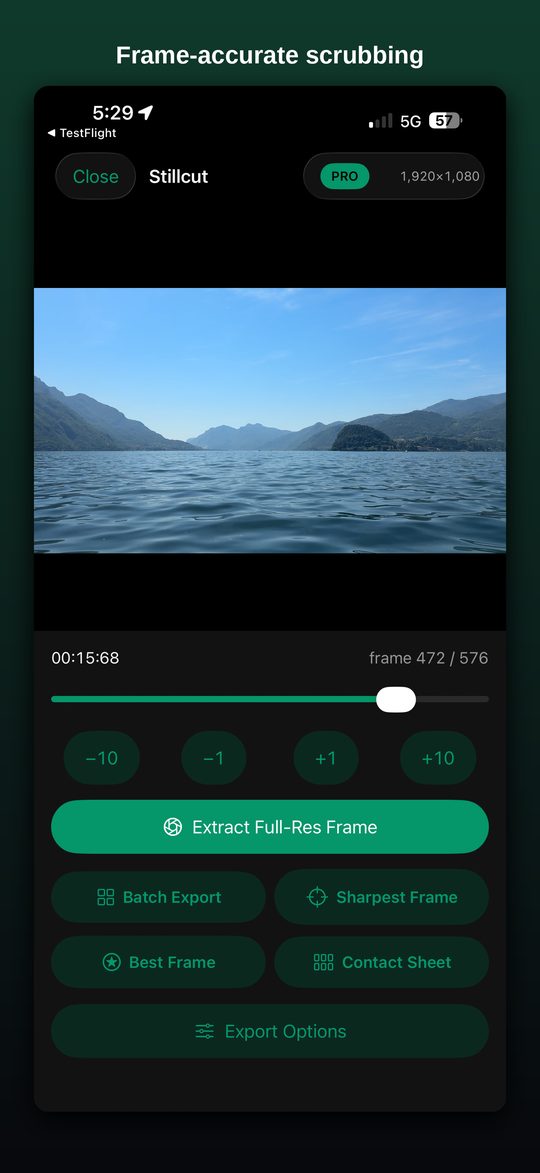
Frame-accurate scrubbing FREE
Import from Photos or Files, scrub, and step frame by frame to the exact moment.
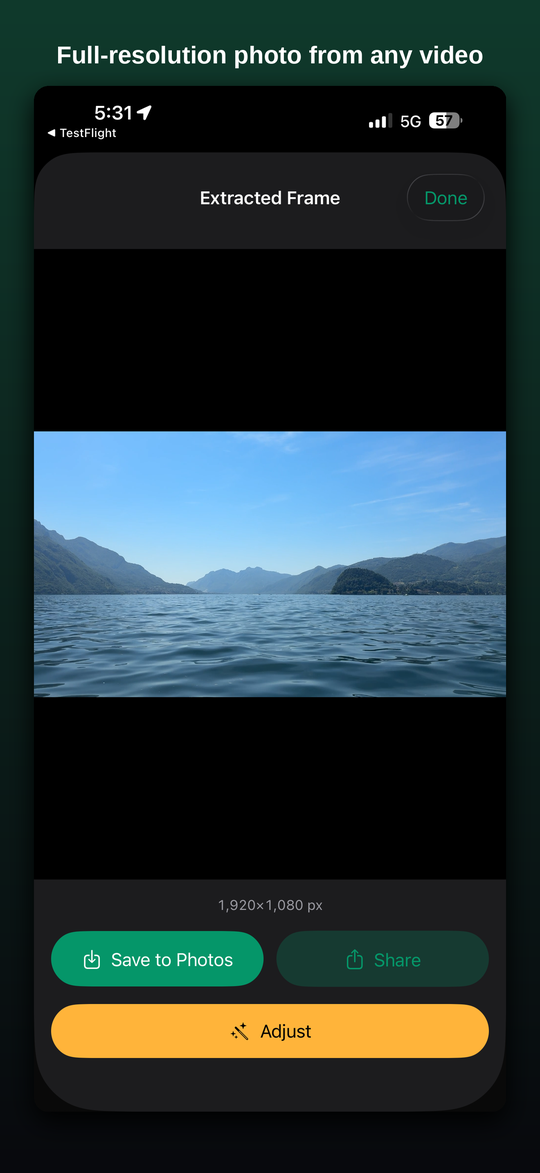
Full-resolution export FREE
Save one native-resolution frame as PNG or JPEG, straight to Photos or share.
Private by design FREE
Everything runs on device. Your videos are never uploaded and no data is collected.
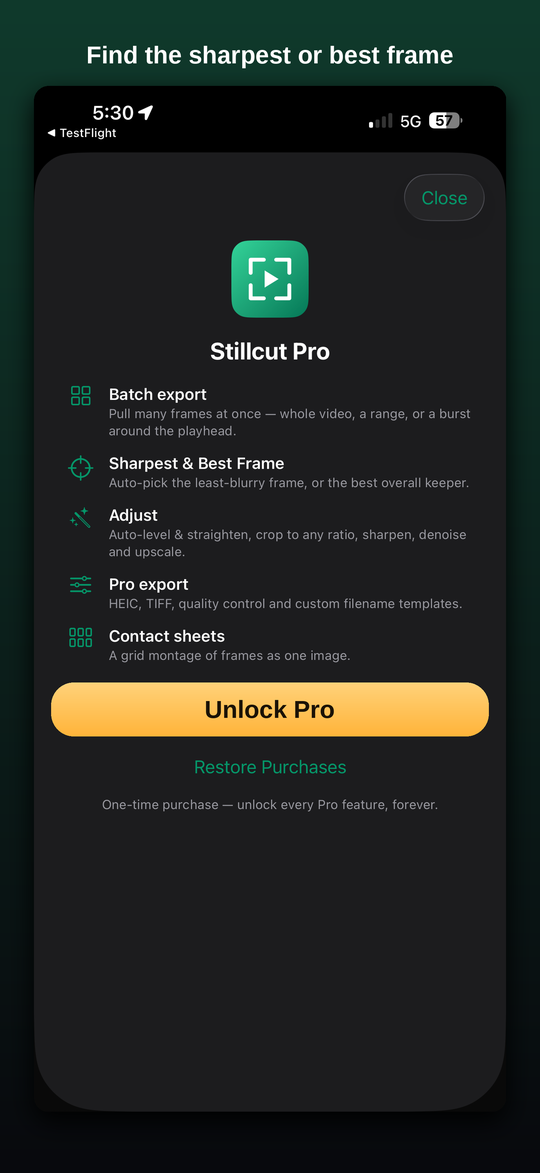
Go Pro PRO
Batch export
Save many frames at once — the whole video, a range, or a burst around the playhead.
Sharpest & Best Frame
Auto-jump to the least-blurry frame, or the best overall keeper using on-device intelligence.
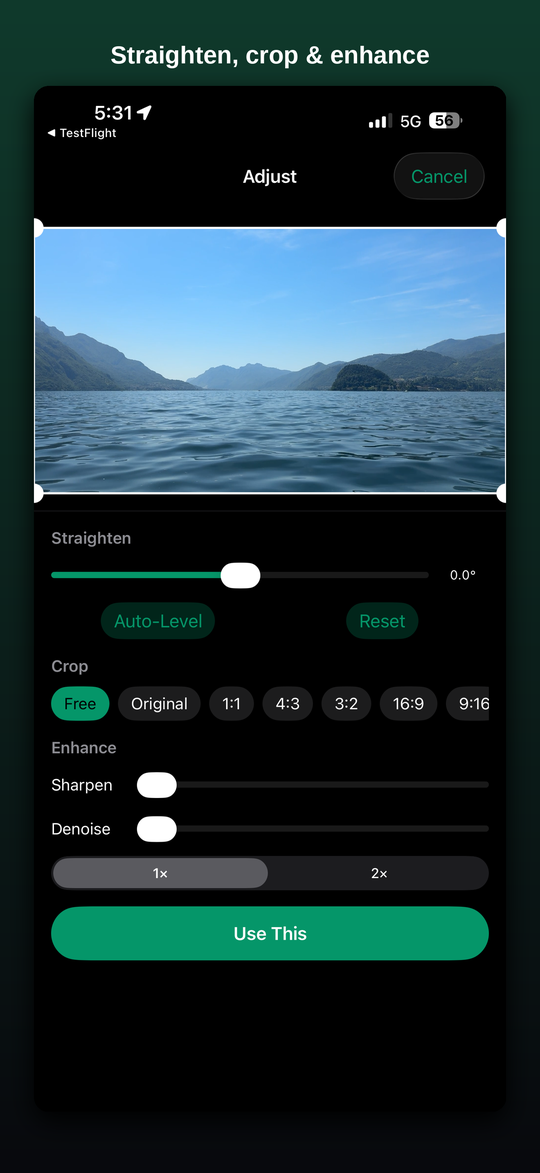
Adjust
Auto-level & straighten, crop to any ratio, sharpen, denoise and upscale.
Contact sheets
Generate a single grid montage of frames sampled across the video.
Pro export
HEIC and TIFF, quality control, and custom filename templates.
One-time purchase
Unlock every Pro feature forever with a single purchase — no subscription.
Frequently asked questions
How do I get a photo from a video?
Open Stillcut, pick a video from Photos or Files, scrub frame by frame to the exact moment you want, and tap Extract. Stillcut saves that frame as a full-resolution photo to your library or lets you share it.
Is Stillcut free?
Yes. Frame-accurate scrubbing and full-resolution export are free. An optional one-time purchase, Stillcut Pro, unlocks extras like Sharpest & Best Frame detection, Adjust (straighten, crop, sharpen, denoise, upscale), batch export, HEIC/TIFF export, and contact sheets. There is no subscription.
Does Stillcut upload my videos?
No. Everything runs entirely on your device. Your videos are never uploaded, and Stillcut has no servers, accounts, ads, or analytics. It only reads the video you pick and saves the image you ask it to.
What resolution are the extracted photos?
Full resolution — Stillcut saves the frame at the video's native pixel dimensions with no downscaling or quality loss. Free export supports PNG and JPEG; Pro adds HEIC and TIFF.
Which devices does it work on?
Stillcut works on iPhone and iPad running iOS or iPadOS 16 or later. It is a single universal app available on the App Store.
What kinds of video does it support?
Any video you can pick from Photos or Files — including slow-motion, 4K, Live Photo videos, and screen recordings.
Your footage stays yours
The Stillcut app has no servers, no analytics, no ads and no accounts. It only reads the video you pick and saves the image you ask it to. Read the privacy policy →
A useful place to start
How to save a photo from a video on iPhone →